Freelance tools
Best Upwork Chrome Extensions for Freelancers in 2026: 7 Tools Compared
A current, data-backed guide to the best Upwork Chrome extensions for freelancers in 2026, compared by client filtering, job alerts, proposal quality, tracking, pricing, privacy, and Connects discipline.

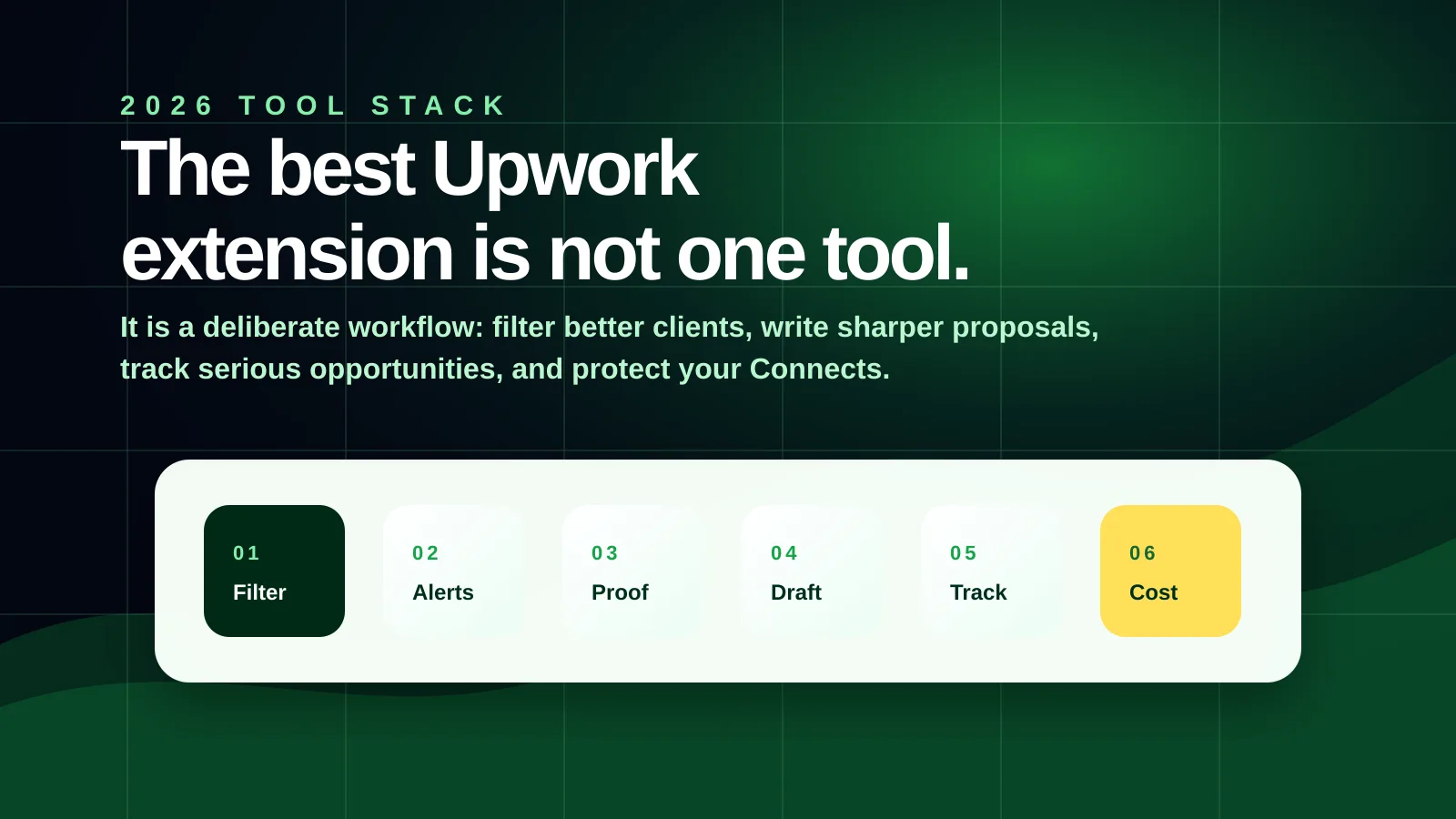
The best Upwork Chrome extension in 2026 is not necessarily the one with the most features.
It is the one that improves the decision that matters most for your stage of freelancing: which client deserves your time, Connects, proposal, proof, and follow-through.
That is a more useful way to evaluate Upwork tools now, because AI has made the old advice weaker. “Apply faster” is not enough when more freelancers can generate passable proposals. “Use AI to write cover letters” is not enough when clients are also flooded with AI-polished sameness. “Track every job” is not enough if you are tracking weak opportunities.
So this guide compares Upwork Chrome extensions by workflow value, not just feature count.
Think like the CEO of your Upwork business
A desperate bidder asks: “How can I send more proposals?”
A freelance-business CEO asks: “Where does my Upwork system create value, where does it leak effort, and which tools improve the highest-leverage stage?”
That is close to how strategists use value-chain analysis in larger businesses. They map the activities that create value, reduce cost, increase willingness to pay, improve reliability, and strengthen competitive advantage. A solo freelancer can use the same idea without making it academic.
Your Upwork value chain looks roughly like this:
| Stage | CEO question | Extension role |
|---|---|---|
| Positioning | Does my profile make a specific buyer trust me? | Mostly outside Chrome extensions; use portfolio/proof work |
| Job discovery | Am I seeing relevant opportunities early enough? | Alerts and saved-search tools |
| Client filtering | Which jobs deserve Connects and proposal energy? | Goldmine, scoring, Fit Score, and Connects-cost tools |
| Pursuit organization | Where do strong jobs go after I notice them? | Goldmine's focused pursuit pipeline or job trackers |
| Proposal preparation | Can I show fit, proof, and judgment quickly? | AI proposal assistants, templates, proposal analyzers |
| Pricing and bidding | Is the bid commercially sensible, and is boosting worth it? | Connects-cost tools, proposal insights, ROI trackers |
| Interview readiness | Can I explain the work, risks, and first step clearly? | Notes, prior proposal history, and preparation workflows |
| Delivery | Do I communicate, execute, and protect trust? | Usually project-management tools, not Upwork-specific extensions |
| Post-completion | Do I turn good work into proof, repeat work, and referrals? | Case-study, CRM, and follow-up habits |
Upwork Goldmine is deliberately positioned in the middle of this chain: client filtering and pursuit organization. It does not replace your profile, write the final proposal, price your work, or deliver the job. Its job is to help you stop treating every listing as equal.
That matters because the most expensive mistake often happens before writing: spending time and Connects on jobs that were weak from the start.
How to read this guide
This list is ordered by workflow stage, not by Chrome Web Store popularity or a universal best-to-worst ranking.
That matters because freelancers do not all need the same tool first. A beginner may need filtering and Connects discipline. A busy specialist may need alerts. A high-volume agency may need analytics and team workflows.
Chrome Web Store ratings and user counts are useful trust signals, but they need context. A mature extension with 10,000 users has more market validation. A newer extension with no reviews may still be useful if it solves a sharper workflow problem. A five-star rating from two users is not the same evidence as a 4.7 rating from hundreds of users.
So the comparison below looks at four things together:
- Workflow value: does the tool improve filtering, timing, proposal quality, tracking, or Connects discipline?
- Public traction: users, rating, and number of ratings shown on Chrome Web Store.
- Freshness: whether the listing appears actively maintained.
- Risk clarity: pricing, data handling, and automation claims.
The Chrome Web Store snapshots below were checked on July 5, 2026. Ratings, users, pricing, and listing language can change.
Why extensions matter more in 2026
Upwork proposals cost real money and attention. Upwork says Connects are used for proposals and ads such as boosted proposals and the Availability Badge. It also says Connects cost $0.15 each, and the number needed for a job can vary while the job is live. Upwork’s own Connects guidance recommends reviewing fit, client history, whether the client already hired, and current job activity before spending.
Source: Upwork on Connects.
That means the real problem is not only “write better proposals.” The real problem is deciding where your limited proposal energy has the highest expected value.
AI makes this sharper. Anthropic’s March 2026 labor-market research found that AI usage is still far below theoretical capability, but it also found the highest observed exposure in occupations such as computer programmers, customer service representatives, and data entry keyers. It found no systematic increase in unemployment for highly exposed workers, but did find tentative evidence that hiring of younger workers slowed in exposed occupations.
Source: Anthropic, “Labor market impacts of AI: A new measure and early evidence”, March 2026.
For freelancers, the practical lesson is not panic. It is discipline:
Filter before writing
Client quality, budget credibility, hiring history, and job activity should shape whether you write at all.
Use AI after judgment
AI can help draft, summarize, and improve, but it should not replace your decision about fit and proof.
Track pursuit, not scrolling
A good job deserves next actions: shortlist, proposal angle, proof point, submitted, follow-up, or drop.
Treat Connects as capital
Connects are not just tokens. They are a budget for attention, timing, and opportunity selection.
Quick comparison
| Extension | Main job | Public traction | Best fit | Cost model from listing |
|---|---|---|---|---|
| Upwork Goldmine | Filter visible jobs by client and job signals, then carry promising jobs through a focused pursuit pipeline | 14 users No ratings yet | Freelancers who want a decision system before spending Connects | In-app purchases; no ad-supported model listed |
| Upwork toolkit | New-job alerts and pre-populated or AI-assisted cover-letter workflow | 10,000 users 4.7 (503 ratings) | Freelancers who want a mature, lightweight alert workflow | No in-app purchase badge shown; listing says no data collection |
| Upwork Copilot by Vollna | Advanced filters, alerts, analytics, AI proposals, auto-bidding workflow | 4,000 users 4.9 (43 ratings) | High-volume freelancers and agencies with clear review rules | In-app purchases and free-trial language shown |
| AI Proposal Writer for Upwork | Proposal drafts plus Fit Score and risk flags | 41 users 5.0 (6 ratings) | Freelancers who want draft help inside the apply page | Free 10 AI proposals/month; Pro listed at $15/month |
| UpKit | Alerts, AI proposal drafts, proposal scoring, job scoring, ROI tracking | 102 users 5.0 (2 ratings) | Freelancers who want one compact dashboard-style toolkit | Pricing not clearly stated in the Chrome listing reviewed |
| Upwork Job Tracker | Keyword monitoring, notifications, templates, local settings | 309 users 5.0 (5 ratings) | Freelancers who want low-cost alerts and local templates | 15-day trial; paid plans listed from $4.99 to $14.99 |
| Upwork Connects to Dollars | Converts Connects to visible dollar cost | 1 user No ratings yet | Freelancers who need a visible reminder that Connects are real cost | No paid plan or ads visible in the listing reviewed |
1. Upwork Goldmine
Client-signal filtering and pursuit discipline
Upwork Goldmine
- Best for
- Freelancers who want to decide which jobs deserve Connects before they start writing proposals.
- Public traction
- 14 users; no ratings yet on July 5, 2026.
- Cost model
- Chrome listing shows in-app purchases. No ad-supported model was listed.
- Use with care
- Early-stage extension with no public review base yet. Judge it by workflow fit, not social proof.
Find serious Upwork clients. Save connects. Pursue with focus.
Goldmine is for the moment before proposal writing: you are looking at a noisy search results page and need to decide which jobs are worth slowing down for. It filters visible client and job signals, then turns promising jobs into a focused pursuit pipeline with notes, stages, and revisit actions.
Goldmine is not a proposal generator. That is intentional. Its core idea is that proposal quality starts before the proposal, with client selection.
Among the seven tools reviewed here, Goldmine is the one positioned most clearly around the freelancer's in-Upwork pursuit workflow: filter the search page, preserve why a job mattered, stage the decision, and come back with context. The other tools can be valuable, but most solve one slice of the workflow such as alerts, proposal drafting, automation, tracking, or Connects cost visibility.
Use it when:
- You open Upwork and feel pushed into applying before thinking.
- You want to separate “interesting job” from “serious opportunity.”
- You need one place to hold shortlisted jobs, notes, and next actions.
- You prefer a human decision system over auto-bidding or mass proposals.
Do not use it as a guarantee of interviews, jobs, or income. It cannot know private client intent. It reads visible page signals and helps you make a more deliberate decision about where to spend attention.
Source: Upwork Goldmine Chrome Web Store listing.
2. Upwork toolkit - your own freelance assistant
Alerts and fast application workflow
Upwork toolkit - your own freelance assistant
- Best for
- Freelancers who refresh Upwork frequently and want faster awareness of new jobs.
- Public traction
- 10,000 users; 4.7 rating from 503 ratings; Featured on Chrome Web Store.
- Cost model
- No in-app purchase badge was shown in the listing reviewed. Listing says the developer disclosed no data collection.
- Use with care
- Speed helps only when your saved searches and job criteria are strong.
This is one of the more established Upwork-specific extensions I reviewed. The listing was updated on June 20, 2026, and says the code is open source.
Its core value is simple: stop refreshing Upwork all day, see relevant jobs earlier, and use pre-populated or AI-assisted cover letters. That is useful for niches where timing matters, especially when good jobs attract many proposals quickly.
The strategic mistake would be using alert speed to apply to everything faster. Pair it with a filtering rule:
- Does the job match my proof?
- Is the budget credible?
- Is the client history serious enough?
- Can I write a specific opening line?
If not, a faster alert only helps you waste Connects sooner.
Source: Upwork toolkit Chrome Web Store listing.
3. Upwork Copilot - AI Proposals, Filters, Instant Alerts, auto-bidding
Advanced pipeline automation
Upwork Copilot by Vollna
- Best for
- High-volume freelancers, agencies, and business-development teams that need feeds, analytics, alerts, and proposal operations.
- Public traction
- 4,000 users; 4.9 rating from 43 ratings.
- Cost model
- Chrome listing shows in-app purchases and free-trial language. No ad-supported model was listed.
- Use with care
- Be careful with auto-bidding or any workflow that reduces human review. Speed without judgment can create low-quality outreach.
The listing describes advanced filters, real-time alerts, AI bidding/proposals, Slack/Google Sheets/webhook/API integrations, A/B testing, proposal analytics, Connects ROI, and team workflows. It was updated on July 1, 2026.
This is the “power user” option. If you already have a clear niche, proven offer, and enough proposal volume to learn from analytics, a tool like this can make sense.
It is less suitable for beginners who still do not know which clients are worth pursuing. Automation amplifies the quality of your criteria. If your criteria are weak, it amplifies noise.
Use this kind of tool only after you have a clear proposal policy:
- Never submit without reading the job.
- Never let AI invent proof.
- Track reply rate by niche, not just total proposals.
- Separate “fast” from “serious.”
Source: Upwork Copilot Chrome Web Store listing.
4. AI Proposal Writer for Upwork
Proposal drafting and fit scoring
AI Proposal Writer for Upwork
- Best for
- Freelancers who want a draft inside the Upwork apply flow but still want Fit Score and risk flags.
- Public traction
- 41 users; 5.0 rating from 6 ratings.
- Cost model
- Listing says Free includes 10 AI proposals/month and Pro is $15/month for 150 proposals/month. No ad model was listed.
- Use with care
- The listing says job descriptions are sent to servers for generation. Review privacy needs before using any AI writer.
This tool focuses on the proposal moment: reading the job page, generating a tailored draft, streaming it into the apply form, saving proposal history, and giving a Fit Score before you spend Connects.
This is the better category for freelancers who already select jobs carefully but lose time turning the job into a first draft.
The right way to use it is not “generate and send.” The right workflow is:
- Filter the job first.
- Generate a draft.
- Replace generic claims with your real proof.
- Add one job-specific observation.
- Remove any sentence that sounds like every other AI proposal.
The Fit Score idea is useful because it brings job selection into the proposal flow. Still, do not outsource judgment. A low-score job may still be right if your proof is unusually strong. A high-score job may still be wrong if the client’s real problem is outside your capability.
Source: AI Proposal Writer for Upwork Chrome Web Store listing.
5. UpKit: Upwork Job Alerts
Alerts, proposal scoring, job scoring, and ROI
UpKit: Upwork Job Alerts
- Best for
- Freelancers who want one compact toolkit for alerts, proposal feedback, job scoring, and Connects ROI.
- Public traction
- 102 users; 5.0 rating from 2 ratings; Featured on Chrome Web Store.
- Cost model
- Pricing was not clearly stated in the Chrome listing reviewed. The listing disclosed personally identifiable information and user activity handling.
- Use with care
- Newer and smaller listing footprint than some alternatives; verify pricing, privacy, and support before relying on it.
UpKit’s listing combines several high-intent features: saved-search alerts, AI proposal generation, proposal scoring, client/job evaluation, and proposal analytics such as view rate, shortlist rate, interviews, hires, and cost per Connect.
The most valuable idea here is not the AI draft. It is the feedback loop. Most freelancers never measure which categories, proposal angles, or client types produce replies. If a tool helps you see that pattern, it can improve your strategy.
The risk is overbelieving scores. Job scoring should be a decision aid, not a decision. A tool can flag payment verification, hire rate, budget, and scope quality, but it cannot fully know your proof, your positioning, or the client’s private intent.
Source: UpKit Chrome Web Store listing.
6. Upwork Job Tracker
Keyword monitoring and job tracking
Upwork Job Tracker
- Best for
- Freelancers who want low-cost alerts, keyword matching, templates, and local preference storage.
- Public traction
- 309 users; 5.0 rating from 5 ratings.
- Cost model
- Listing says 15-day free trial; paid plans listed at $4.99 for 3 months, $8.99 for 6 months, and $14.99 for 12 months. No ads were listed.
- Use with care
- Alert tools can encourage urgency. Keep your filtering rules stricter than your notification settings.
Upwork Job Tracker monitors targeted jobs, supports keywords/tags, notifications, check intervals, cover-letter templates, backup/restore, dark mode, and subscription activation by email/license key.
This is a practical option if your primary pain is missing relevant jobs and you do not need a large automation platform.
The listing says it stores keywords, templates, and preferences locally, and that the trial gives access to premium features. That is useful for evaluating whether job alerts actually change your behavior before paying.
The discipline is to tune keywords for buyer intent, not just skill names. For example:
| Weak alert keyword | Better alert direction |
|---|---|
| React | React migration, dashboard, SaaS frontend, performance issue |
| Designer | conversion landing page, product launch, redesign audit |
| Virtual assistant | CRM cleanup, calendar operations, inbox triage |
| Automation | Airtable workflow, Zapier error, invoice reconciliation |
Source: Upwork Job Tracker Chrome Web Store listing.
7. Upwork Connects to Dollars
Connects cost awareness
Upwork Connects to Dollars
- Best for
- Freelancers who need a simple reminder that Connects and boosts are real costs.
- Public traction
- 1 user; no ratings yet on July 5, 2026.
- Cost model
- No paid plan or ads were visible in the listing reviewed. The listing had no ratings at review time.
- Use with care
- It is a narrow utility, not a full job-selection system.
This extension converts Upwork Connects into dollar amounts on job and proposal pages, so freelancers can see the approximate cash cost of bidding and boosting.
This is strategically useful because many freelancers treat Connects as platform points until they run out. But Connects are a budget. If a job costs 16 Connects, that is not just “16.” At Upwork’s listed $0.15 per Connect, it is $2.40 before you count time, attention, and emotional churn.
This kind of tool is especially helpful for new freelancers who boost out of anxiety or apply to low-quality jobs because the immediate dollar amount is hidden behind a token.
Source: Upwork Connects to Dollars Chrome Web Store listing.
Good tools I would not make default recommendations
Some tools are worth knowing about, but I would not put them in the core seven for every freelancer.
| Tool | Why it may help | Why I would be cautious |
|---|---|---|
| UpCat | 5,000 users, Featured listing, AI cover letters and alerts | The positioning is heavily cover-letter-first; make sure it improves judgment, not just speed |
| Upwork Job Score | Simple visible scoring based on payment, budget, proposals, client history, and other factors | Updated September 2024; smaller rating sample |
| Upwork Job Scorer & Spam Detector | Open-source scoring/spam detector idea for newer freelancers | Updated December 2023; I would prefer fresher tools for a 2026 workflow |
| Upwork Modern Workflow | Layout, alerts, AI cover letters, and feed readability | Mentions human-like auto-scrolling; I would be careful with anything that simulates browsing behavior |
This does not mean these tools are bad. It means you should match them to your risk tolerance, update expectations, and workflow.
Which stack should you use?
No freelancer needs all seven extensions. Too many tools can create the same problem as too many proposals: scattered attention.
If you are a beginner with limited Connects
Use:
- Upwork Goldmine or another job-scoring/filtering tool
- Upwork Connects to Dollars
- One proposal drafting helper only if you can edit heavily
Your main goal is not speed. It is avoiding weak jobs and learning what serious clients ask for.
If you are intermediate and already get replies
Use:
- A filtering tool for client quality
- An alert tool for timing
- A proposal helper for first drafts
- A tracker for follow-through
Your main goal is not more proposals. It is a cleaner pipeline from good job to specific proof to follow-up.
If you are an agency or high-volume freelancer
Use:
- A more advanced alert/automation platform
- Proposal analytics
- Team workflow integrations
- A strict human review rule
Your main risk is not missing jobs. It is scaling generic outreach and damaging your signal quality.
Privacy and safety checklist before installing any Upwork extension
Before installing any extension that runs on Upwork pages, check:
- What data the Chrome Web Store listing says it handles.
- Whether it sends job descriptions, profile details, or proposal text to external servers.
- Whether it stores data locally or in the developer’s backend.
- Whether it auto-submits, auto-bids, or only drafts for review.
- Whether the developer is active and the extension was updated recently.
- Whether the pricing is visible before you depend on the workflow.
- Whether the tool is independent and not affiliated with Upwork.
The highest-risk phrase in this category is not “AI.” It is automation without review.
Upwork’s own proposal insights page says Freelancer Plus users can see bid ranges, client activity, and proposal trends. That is useful, but it is still only context. No tool, native or third-party, removes the need to judge fit.
Source: Upwork on proposal insights.
Final recommendation
If you want the simplest 2026 Upwork extension workflow, use this order:
- Filter first: identify serious-looking clients and jobs.
- Alert second: notice relevant jobs before they are crowded.
- Draft third: use AI to produce a starting point, not the final proposal.
- Track fourth: manage shortlisted, submitted, and follow-up opportunities.
- Review cost always: treat Connects as capital.
That is the real advantage. Not one extension. Not one prompt. Not one productivity trick.
The durable advantage is a calmer decision system in a noisier market.